🍦 GreatHabits
Kids earn tokens for doing their little tasks on their own initiative — no reminders needed. They save up for rewards you define: gelato, movie night, pizza…
👉 greathabits.app📱 On an iPad or phone: open the link in Safari, then Share → Add to Home Screen — it becomes a full-screen app.
1 · Set up your family
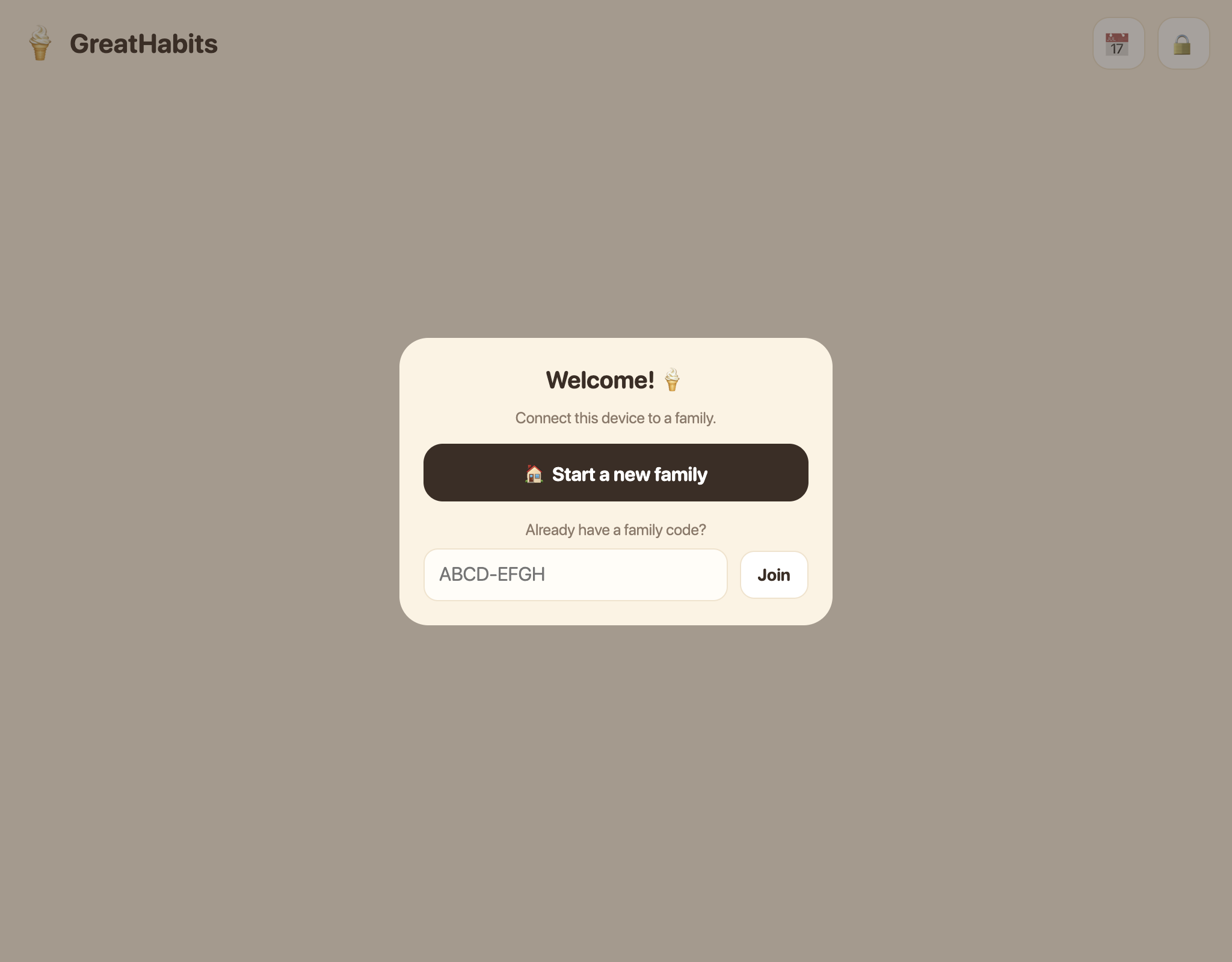
There are no accounts or passwords. On first launch, tap 🏠 Start a new family — you'll get a family code (like TR7PK-2MQ4X). Enter that code on your other devices via Join so they all share the same lists.
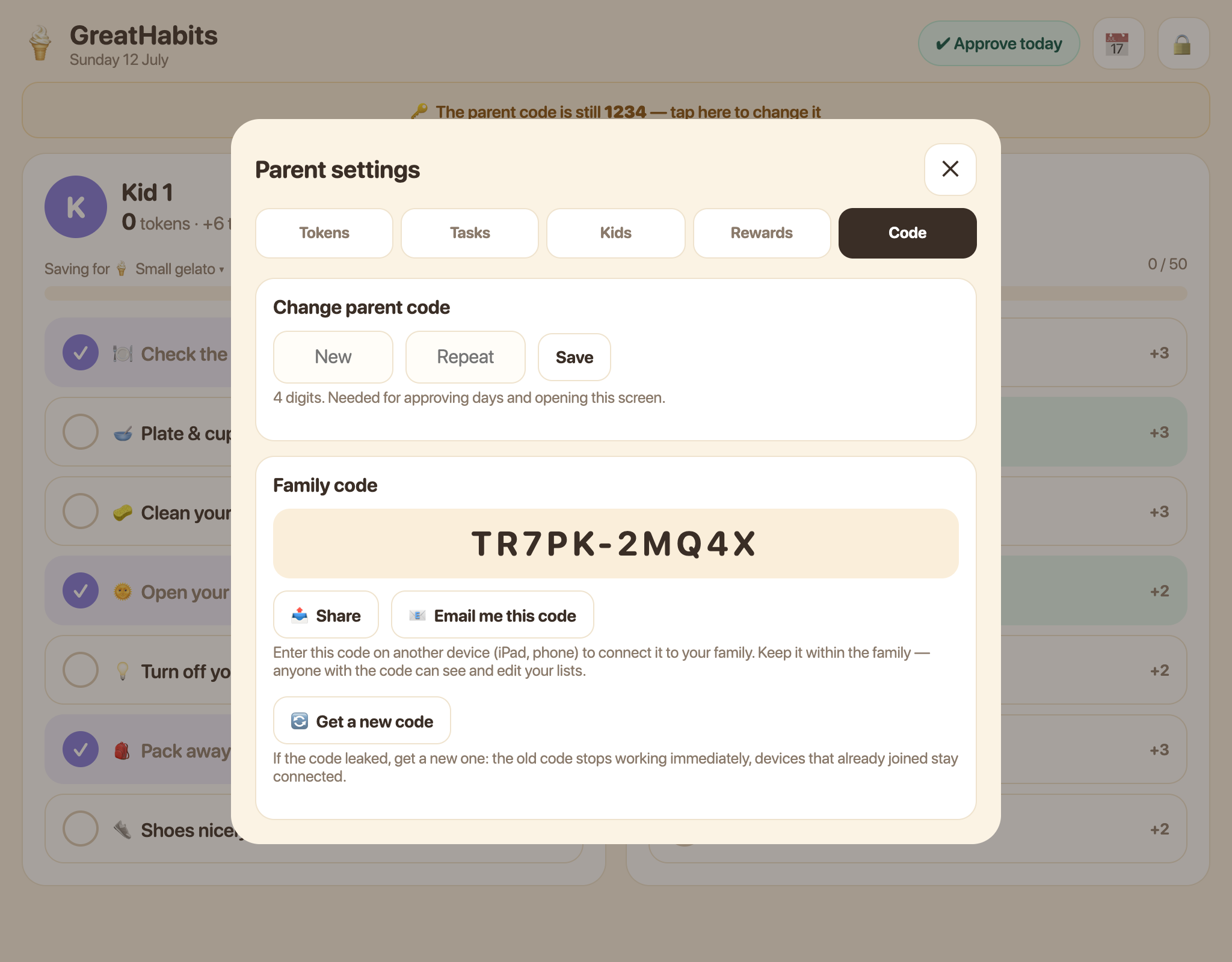
Worried about losing it? Right there on the code screen (and later behind 🔒 → Code), tap 📤 Share to send it to yourself however's handy, or 📧 Email me this code to get it sent once, straight to your inbox — nothing is stored, it's just sent and forgotten.
2 · Kids tick their tasks
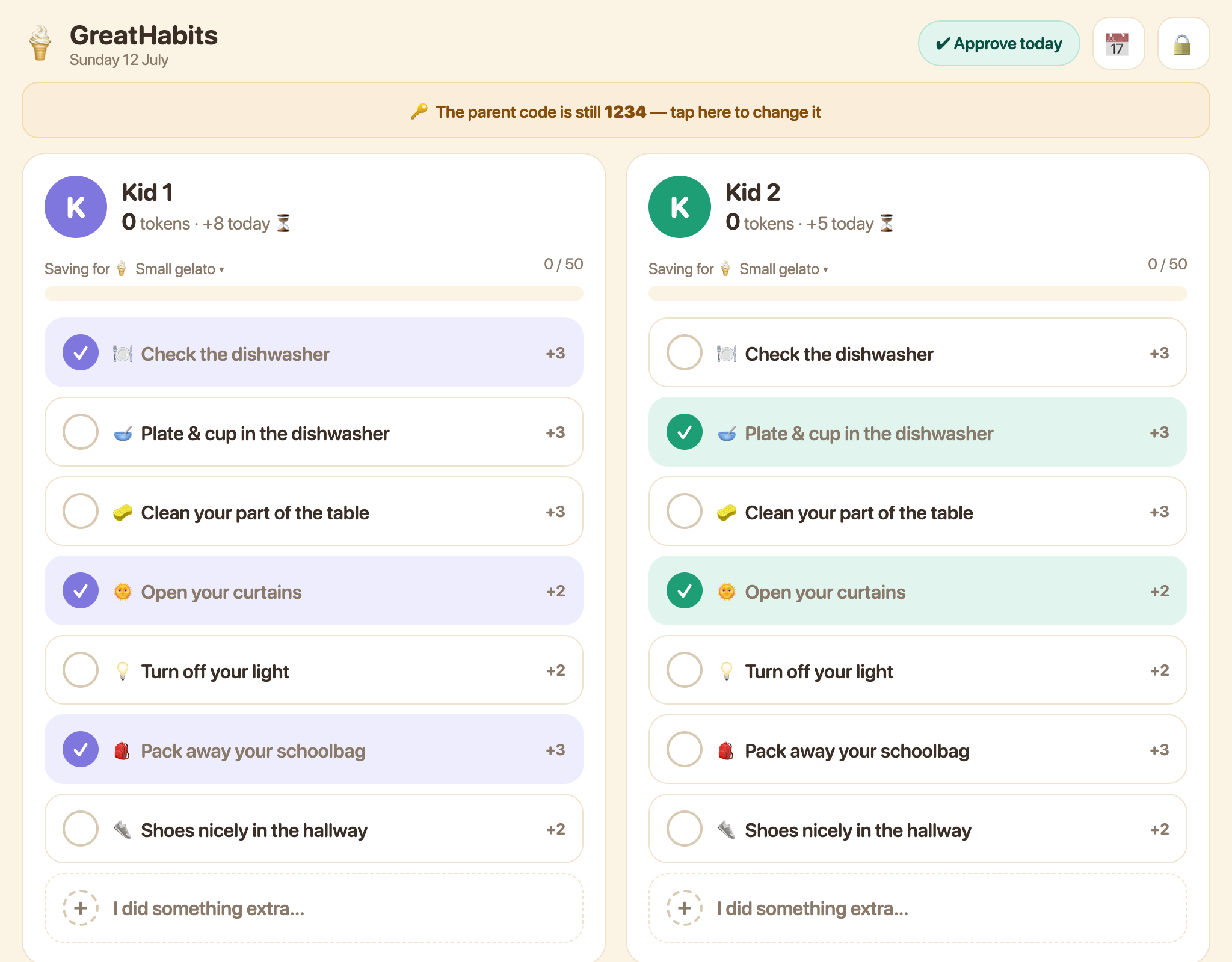
Each kid has a column. When they've done a task without being reminded, they tap it. Tokens show as "pending" until a parent approves the day. Did something extra (watered the plants)? They add it themselves via + I did something extra….
3 · Approve the day (evening ritual)
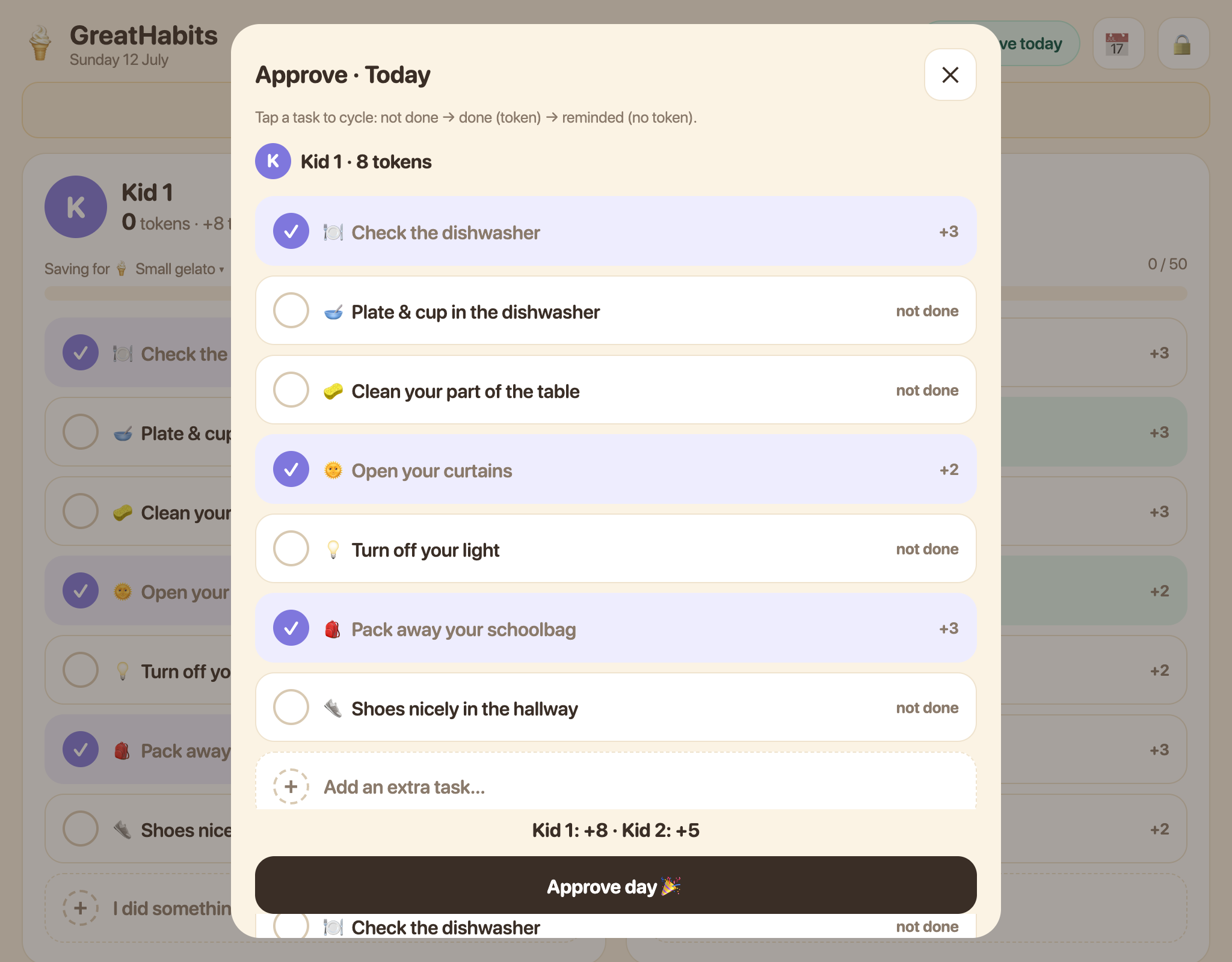
Tap ✔ Approve today at the top. Review each kid's list — tap a task to cycle between not done → done (token) → reminded (done, but no token). Then tap Approve day and enter your 4-digit parent code: tokens are added for real. Missed a day? It waits as an amber chip at the top.
4 · Change the parent code
The parent code starts as 1234 — a banner reminds you until you change it. Tap 🔒 → Code, enter a new 4-digit code twice, Save. Your family code lives on the same screen.
5 · Set up the tasks
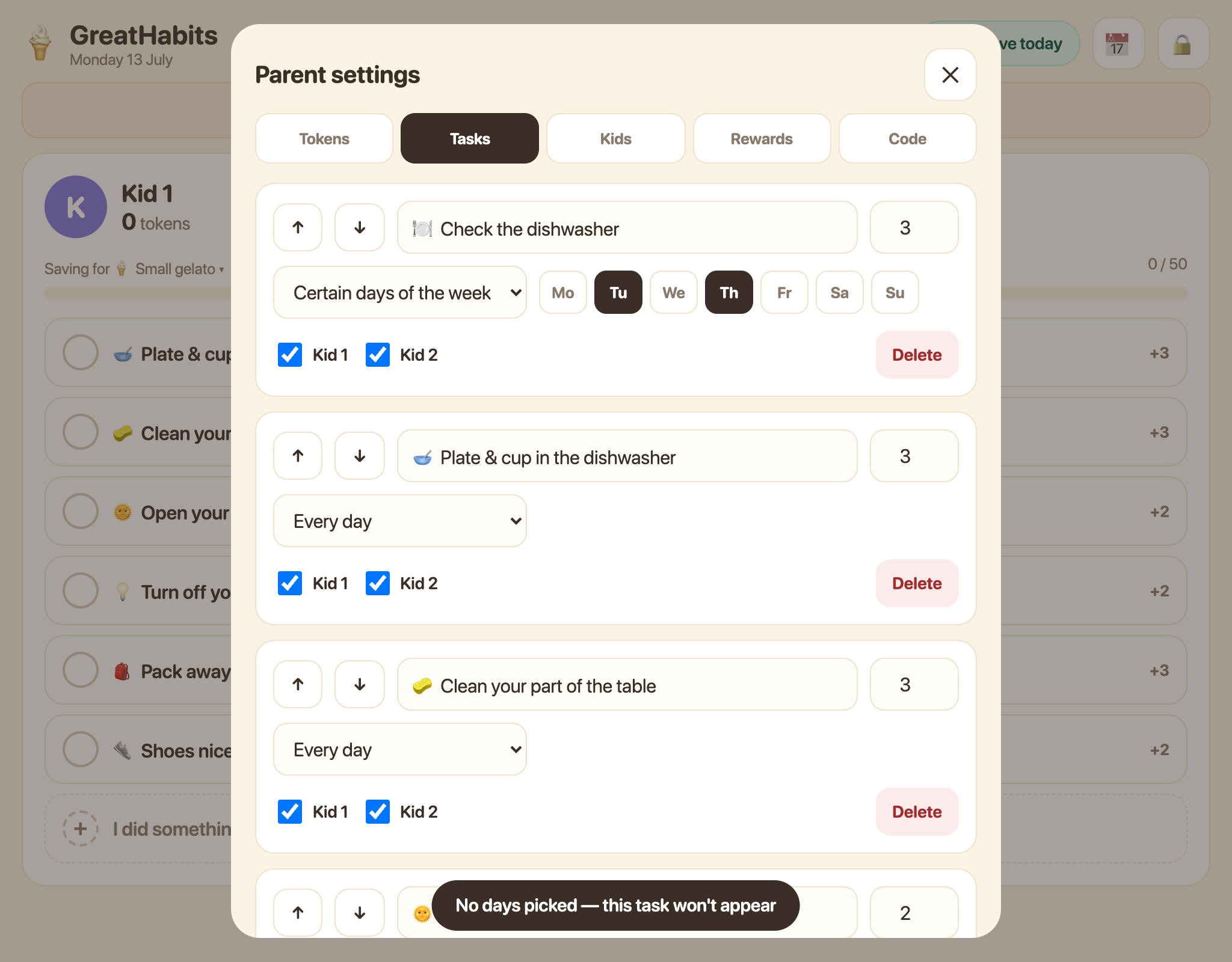
Tap 🔒 → Tasks. Each task has a name, a token value, a schedule — every day, certain days of the week (tap the day chips: sports bags on Tue/Thu/Sat, for example) or monthly — and checkboxes for which kids get it. Use ↑↓ to order the list, + Add task for new ones. Changes appear on the kids' lists immediately.
6 · Rewards — what tokens buy
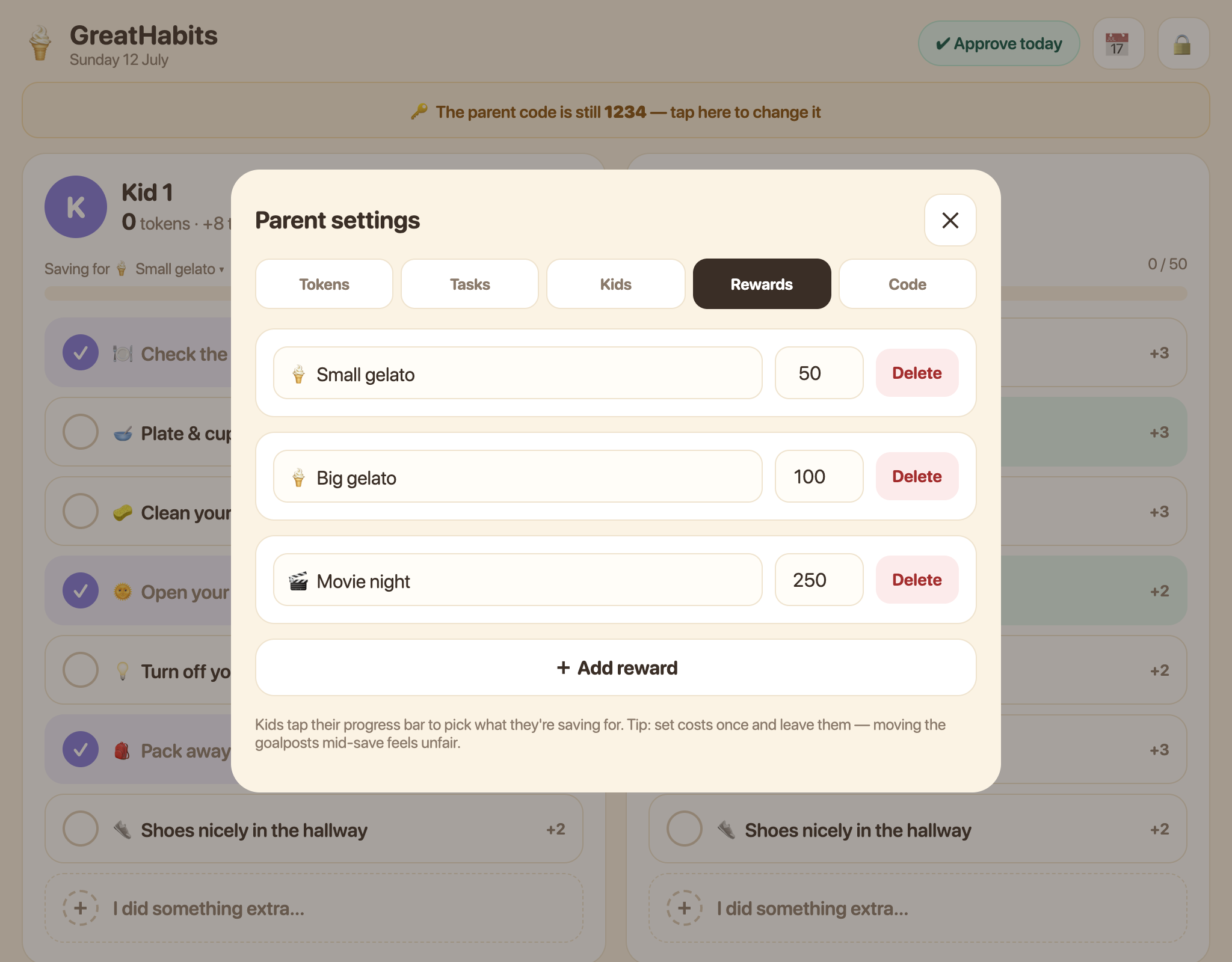
Tap 🔒 → Rewards to define your family's rewards: a name and a token cost each — small gelato 50, movie night 250, whatever motivates your kids. Set costs once and leave them; moving the goalposts mid-save feels unfair.
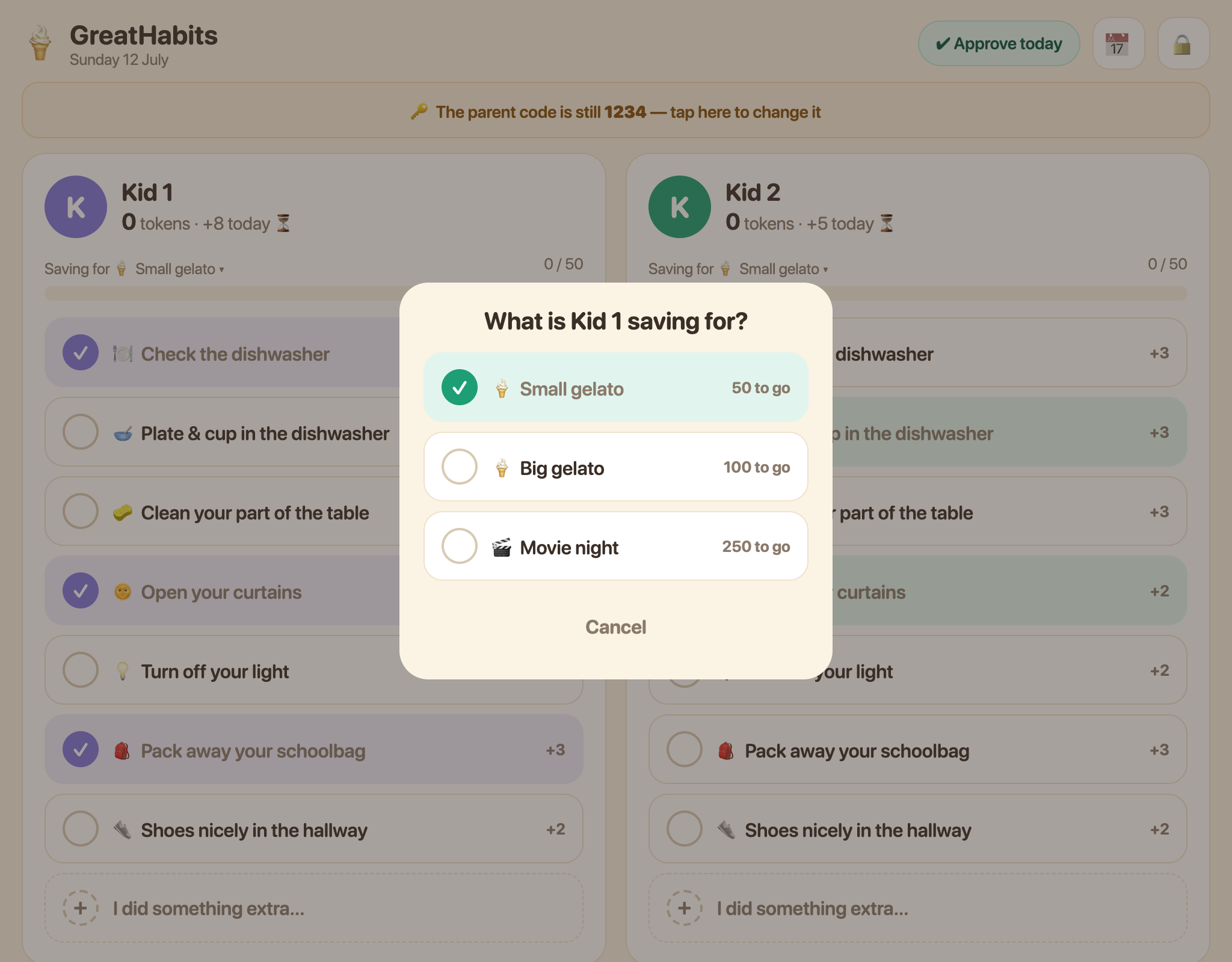
Each kid taps their own progress bar to choose what they're saving for — their bar then counts toward that goal.
7 · Tokens & history
- 🔒 → Tokens: cash in a reward (one button per reward), set a starting total, or adjust with a reason. Every change is listed under "Recent activity".
- 📅 shows the full day-by-day history — kids love browsing their green streaks. Approved a day too early? Open it there and tap ✏️ Reopen this day.
💡 Our house rules: tasks they must do anyway — a token only if they did it unasked. ~20 tokens a day is achievable. Cash in small rewards often, or hold out for a big one — choosing is half the lesson.
Made with ❤️ · greathabits.app